07HUMAN-IN-THE-LOOP
AI DEVELOPMENT WORKFLOW
An AI-assisted workflow where people retain judgment and responsibility — a practice still being shaped through use.
2025 - 2026
HOW I WORK WITH AI
AI is a way to extend thinking, building and verification across projects. I remain responsible for direction and the final decision.
METHOD LOOP
- 01DIRECTION
Set direction and scope
- 02PLAN
Set boundaries and roles
- 03BUILD
Build in bounded steps
- 04REVIEW
Review from another perspective
- 05VERIFY
Operate and verify
- 06DECISION
Accept or return for revision
Clear, small tasks use a light process. Complex work needs bounded scope and a review separate from implementation. AI PASS does not replace human acceptance.
The Journal records agent roles, context, review, visual QA and lessons from failure in depth.
Read the development note01
How I got here
I started with Japanese translation and editing, then moved into code, coursework and local models. As projects grew, describing an idea was no longer enough: I needed clear specifications and roles.
EVOLUTION
- 01LANGUAGE TOOL
Translation and editing
It began with Japanese translation and sentence correction.
- 02CODING ASSISTANT
Coding / SQL
Reaching coding, SQL and coursework through tab completion and edit requests.
- 03VIBE CODING
Describe and implement
Fast, until context grew long and it lost control.
- 04LOCAL AI
Local experiments
Learning resource trade-offs through VLM, OCR and quantization.
- 05SPEC / AGENT
Designing participation
Splitting work with specs and multiple agents.
Tools keep changing; what stays is the design of participation.
Read the complete development note
I am still learning development. I use AI not to perform as an expert, but to ask about what I do not know, try a small implementation, and check the result myself.
At first it was a tool for translating Japanese and correcting sentences. Soon it reached coding, SQL, coursework and small projects — starting from tab completion, then asking questions and requesting edits.
Cursor made “describe an idea, let AI implement it” feel natural, and I built many coursework pieces that way. But as projects grew and context lengthened, earlier requirements were forgotten, finished work was rewritten, features duplicated, and implementations interfered. That was the limit of Vibe Coding.
Later I worked with local LLM, VLM and OCR, learning the trade-offs between compute, context, quantization, speed, stability and cost directly. In a project like NOTERA, AI moved from something that helps me write into part of the product itself.
Further on I tried planning approaches like Spec Kit and Superpowers, and development that splits work across agents. Complex projects get split up; small, clearly bounded tasks use a lighter flow. What matters now is not the number of tools but how participation is designed.
02
Talk the fuzzy idea clear first
Before adding a feature, I talk through the problem with AI: what needs solving, whether a simpler approach exists, and what I still do not understand. Then I decide whether to build it.
01
Rough idea
Only a direction; requirements are not settled yet.
02
Let the AI ask
The AI asks; I answer.
03
Keep discussing
Putting usage and constraints into words.
04
Settle requirements
Settling requirements, Scope, technical direction and UI.
05
Second opinion
Shown to another model to find blind spots.
06
Set the direction
The agreed direction passes to the demo and design rules.
Rough ideaLet the AI ask
Start from questions.
Let the AI askKeep discussing
Questions and answers go back and forth.
Keep discussingSettle requirements
Turn stated constraints into requirements.
Settle requirementsSecond opinion
Hand the settled plan to another viewpoint.
Second opinionSet the direction
Bring the blind spots back and set the direction.
Read the complete development note
I do not hand an idea to a coding agent the moment it appears. First I talk it out at length in chat: let the AI keep asking, answer it, and gradually settle requirements, usage, Scope, technical direction and UI. It is a Brainstorm-like round trip.
On important projects I show the organized plan to another AI for a Second Opinion. Not to vote, but to find what I missed with a different model. For UI direction I generate images first to test the feel, revise while it is off, and only then build a demo.
03
Turn discussion into boundaries an agent can follow
I write down the agreed requirements, design and limits. The next agent can continue from those decisions rather than reconstruct the project from guesswork.
AUTHORITY
01PLAN
Plan
Put the Plan / Implementation Plan down first.
02AGENTS.md
Working agreement
Keep the rules an agent follows in one place.
03DESIGN.md
Design authority
Fix visual judgment as a document.
04SCOPE
Frozen scope
Decide what not to build and what not to change first.
05EVIDENCE
Confirmed assumptions
Keep confirmed requirements and evidence.
06GIT
Change boundary
Settle the branch and commit units beforehand.
Read the complete development note
On important projects I now turn the discussion into a formal development authority: Plan / Implementation Plan, AGENTS.md, DESIGN.md, Scope and the ranges that must not change, confirmed requirements and evidence, and Git branch / commit boundaries.
These documents are not there to lengthen the prompt. They stop every agent round from re-guessing what is being built. An agent may implement freely, but that freedom lives inside boundaries that are already confirmed.
04
Small tasks do not need the whole team
A small bug needs a direct fix and check. Cross-module work or important design changes need planning, separate roles and review. The process should fit the task.
| Small / clear task | Complex / important project |
|---|---|
| A single edit or small bug | A new project or cross-module change |
| A light flow with a quick check | The full brainstorm, spec, multi-agent, review and verification flow |
| Context enough to finish the task | Bounded per stage, never everything at once |
Read the complete development note
Small bugs, single edits and clearly bounded work go through a light flow. Starting the full pipeline and loading a large repository context there makes the flow heavy and burns a lot of tokens.
Only new projects, cross-module changes, important UI, structural adjustments or higher-risk edits — the Complex, important work — use the full flow. The principle is simple: More context is not always better context. Context only needs to be enough to finish the task, not the whole project and every past discussion stuffed in indiscriminately.
05
AI is hands, and a thinking partner
AI helps explore approaches, implement and check. I decide the requirements, priorities and final acceptance. When I do not understand an approach, I ask for an explanation and check the working feature.
RESPONSIBILITY
01
AI
THINK WITH ME — think alongside and find blind spots. BUILD FOR ME — implementation, Debug, Refactor, Test, Documentation. REVIEW WITH ME — Architecture Review, Code Review, Visual QA, Regression Check, organizing verification records.
02
HUMAN
DEFINE — define the problem and the scope. DECIDE — decide adoption, rejection or integration. DIRECT — direct priority and direction. VERIFY — accept the final result.
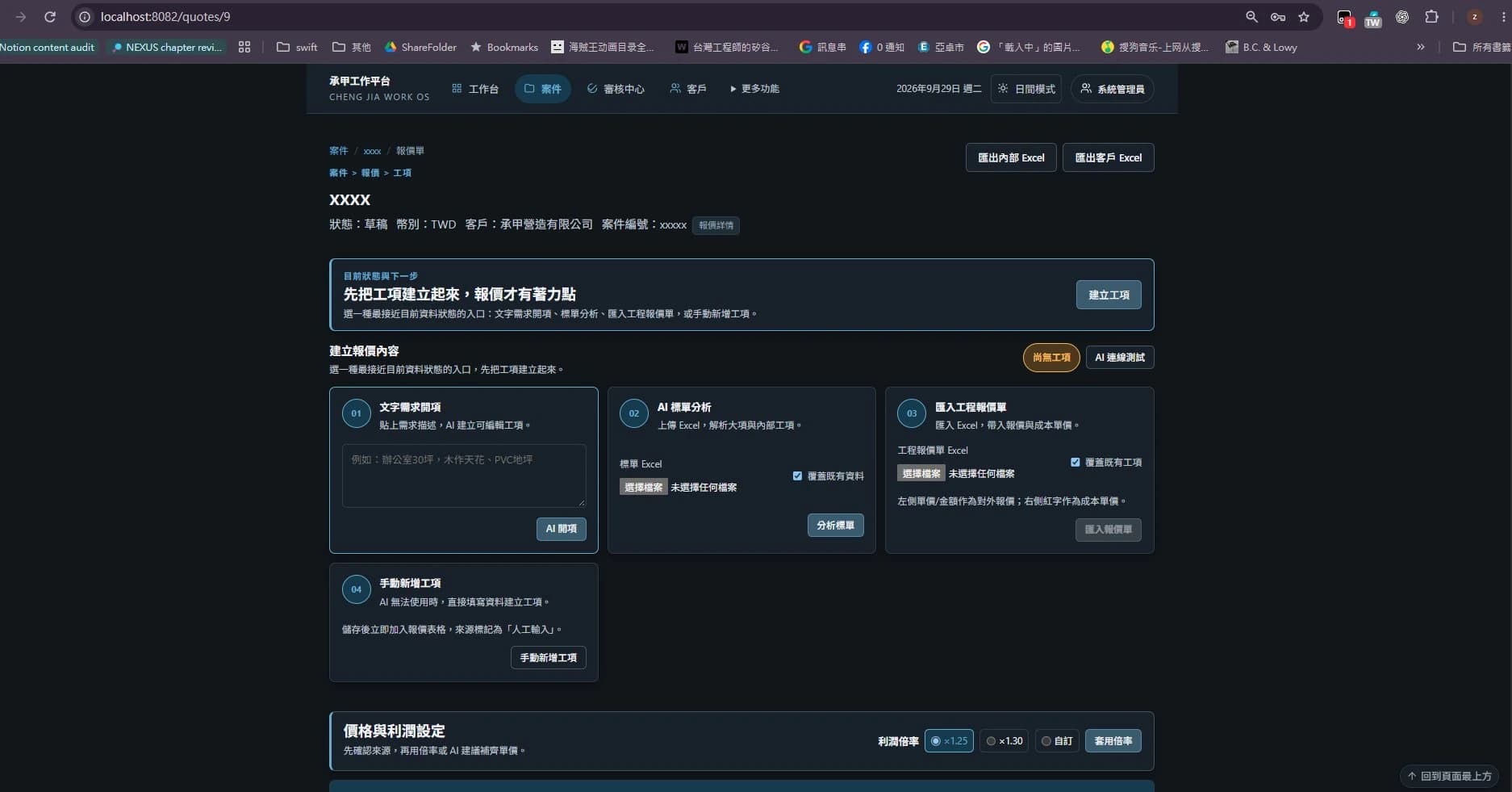
Quotation items — the input screen for AI-assisted item creation.
Read the complete development note
In my workflow AI has roughly three roles. THINK WITH ME — Brainstorm, research, Second Opinion, finding blind spots. BUILD FOR ME — Coding, Debug, Refactor, Test, Documentation, Implementation. REVIEW WITH ME — Architecture Review, Code Review, Visual QA, Regression Check, organizing verification records.
Humans carry DEFINE → DECIDE → DIRECT → VERIFY. Human as PM does not mean stepping away from the technology; it means human value moves toward understanding requirements, judging architecture, Scope, priority and acceptance.
06
Never let one AI own every judgment
For important changes, I ask another agent to review the implementation. A second view is no guarantee of correctness, but it can find issues missed in the original conversation.
INDEPENDENT REVIEW
- 01PLAN
Plan
Settle scope and split first.
- 02BUILD
Build
Assigned roles advance implementation.
- 03INDEPENDENT REVIEW
Review from another viewpoint
An agent outside that context checks it.
- 04FIX
Return and fix
Send findings back into implementation.
- 05VERIFY
Verify again
Check once more after the fix.
Separate the person who wrote it from the person who checks it.
Read the complete development note
On complex projects I split the work across agents. Different models take the parts they are better at — implementation, difficult debug, UI, Visual QA or Review. More important: the Implementer should not be the only Reviewer. An independent review from another context keeps one judgment source from deciding everything.
Sometimes I finish an architecture discussion and show it to a different model once; after development, another agent checks architecture, change scope and verification records. Not because more AI is automatically more correct, but to keep every judgment from coming out of the same context.
07
Show the AI the right thing
A visual review needs the design, changed files and screenshots; a functional review also needs test results. More context is not always better. I provide what the task actually needs.
BOUNDED CONTEXT
01
Provided
DESIGN PLAN CHANGED FILES TEST RESULTS SCREENSHOTS
02
Withheld
A full repository scan Every past discussion Unrelated service connections
Read the complete development note
It is being able to control more precisely what the AI actually sees. For a review task, for example, I can hand over only DESIGN, PLAN, CHANGED FILES, TEST RESULTS and SCREENSHOTS instead of letting the Reviewer scan the whole repository.
That keeps the Scope controllable and makes it clear which material a review conclusion rests on. Adding unrelated information wastes tokens and can mix old requirements into the current authority.
08
I no longer read every line of AI code
I do not claim to read every generated line. I run checks, understand the structure and operate the feature myself. Important changes get another review; problems go back for revision.
REVIEW ORDER
- 01AGENT CHECKS
Let the agent run first
LSP, Tests, Typecheck, Build and the existing review flow.
- 02STRUCTURE
Read the structure
Check for extra files, duplicated features and soundness.
- 03EXPLAIN
Ask for a condensed explanation
Have it explain which structure and approach it used.
- 04OPERATE
Operate it for real
Drive the feature and the UI by hand.
- 05FIX
Return and fix
Send problems back, fix, then re-verify.
- 06INDEPENDENT
Confirm with another AI
Only important changes get an independent viewpoint.
Read the complete development note
My review runs in order. First the agent itself runs LSP, Tests, Typecheck, Build and the existing review flow. Then I check whether the structure makes sense and whether extra files or duplicated features appeared. The AI explains the structure and implementation in condensed form. I operate the feature and the UI for real. Problems go back to the agent, get fixed, and are re-verified. Important changes get an Independent Review through another AI.
I do not build confidence from having read every line. I judge by architecture understanding, automated checks, real operation and multi-source review.
09
PASS needs something visible behind it
“Done” is not enough. Backend work needs tests and real responses; UI needs direct inspection; mobile features need the actual flow. The check must tell me whether the work really works.
VERIFICATION
01
The verification each task needs
LSP, Tests, Typecheck, Build, Diff, Changed Files, Screenshots, Device Test, Review.
02
How screenshots and device results are checked
Inspect the actual pixels, then have a person walk the real flow on a device.
Read the complete development note
Different work needs different verification records: LSP, TESTS, TYPECHECK, BUILD, DIFF, CHANGED FILES, SCREENSHOTS, DEVICE TEST and REVIEW. Backend, frontend, configuration changes and mobile apps are verified differently by nature.
Even with Build and Test all green, a UI may not match the design; and a mobile feature cannot rest on a Widget Test alone — the real flow needs to be walked on a device. Engineering outcomes should not rest on trusting AI, but on leaving enough records to judge.
10
Pixel PASS is still not Human PASS
Passing tests can still leave an unreadable page. I inspect screenshots and open the page to check type, spacing, images and mobile behavior. The final design judgment stays with me.
Check it yourself, then decide.
- 01BUILD
Implement
Complete the bounded change.
- 02SCREENSHOT
Capture the page
Inspect desktop, tablet and phone.
- 03REVIEW
Another view
Give the reviewer the actual image.
- 04HUMAN
Human judgment
Check readability and direction.
- 05VERIFY
Accept or revise
Revise and inspect again if needed.
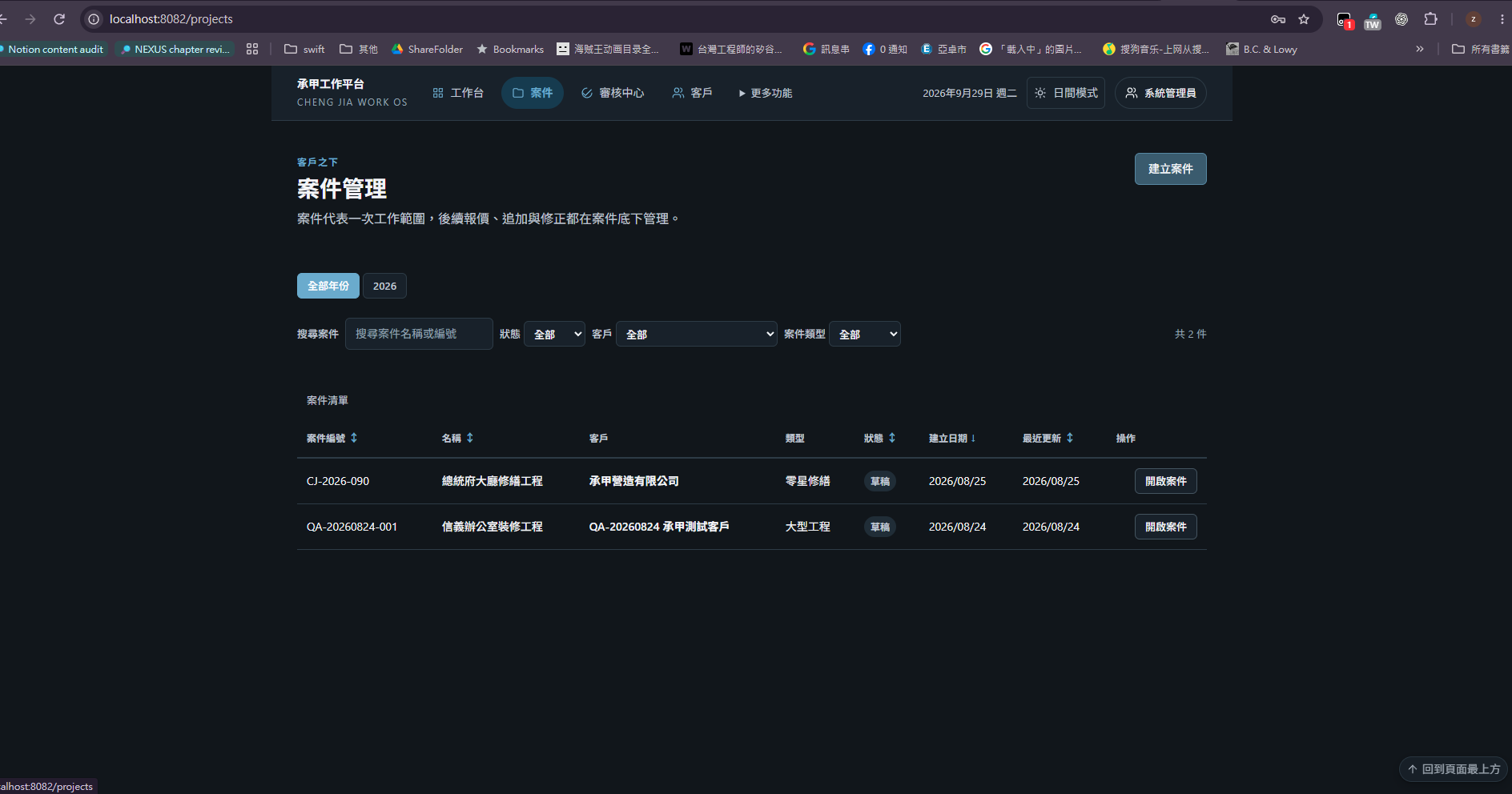
Project management — projects and their status.
Read the complete development note
AI can check Screenshot, Spacing, Typography and Responsive, and report a Visual QA PASS. But if I open the page myself and feel the overall direction is wrong, that PASS cannot replace my judgment.
One more lesson matters. A Visual Reviewer must actually receive image Pixel. If it only reads a file name, a path, a Manifest or a text description, the result cannot be treated as real visual acceptance. The flow always ends with IMPLEMENT → SCREENSHOT → AI VISUAL QA → HUMAN REVIEW → ACCEPT / REVISE.
11
What I learned from runaway context
The hardest issue was not failure to write code, but losing earlier decisions and changing finished work. Clear specs, scope and version history made the starting point for each revision easier to recover.
FAILURE → LEARNING
Before
- PROMPT
- GENERATE
- FIX
- GENERATE
- FIX
After
- DEFINE
- PLAN
- BOUNDED BUILD
- REVIEW
- EVIDENCE
- DECIDE
With boundaries settled first, failure becomes a signal to return.
Read the complete development note
In early development, after a long context broke, the agent forgot the direction already agreed and rewrote finished work. Different rounds could also produce duplicated features or implementations that interfered with each other.
After adding Plan, AGENTS.md, DESIGN.md, Git, a Scope Boundary, Independent Review and current verification records, development became much steadier. The flow moved from PROMPT → GENERATE → FIX → GENERATE → FIX toward DEFINE → PLAN → BOUNDED BUILD → REVIEW → EVIDENCE → DECIDE.
12
I keep experimenting, without mythologising it
Local models remain an ongoing experiment. Running them shows how VRAM, quantization and context length affect speed and stability. Complex development still mainly uses cloud models; local work remains a research space.
LOCAL POSITION
Keep experimenting; complex development still runs mainly in the cloud.
- Local keeps data in your own environment, controls cost and suits experimentation.
- Model capability is not the only variable: VRAM, quantization, Context, speed and stability all shape the experience.
- No current configuration or model is asserted.

Read the complete development note
I have run local VLM, OCR and coding harnesses for real work. Those experiments show that model capability is not the only variable: VRAM, quantization, Context length, inference speed, stability and machine resources all change the actual experience.
Local models keep data in your own environment, make cost easier to control and suit experimentation. But at this stage, large and complex development still mainly uses cloud models. For me Local AI is more a platform for continued research and experiment, not a claim that everything must be Local-first.
13
From Vibe Coding to AI-assisted Engineering
Small ideas can be tried quickly with AI. Larger projects need clear problems, scope, roles and acceptance. I am still learning, which makes understanding and checking AI-assisted work even more important.
QUESTIONS
01DEFINED
Is the problem defined?
Written as a problem, not just a direction.
02BOUNDARY
Does it know what must not be touched?
Scope and frozen ranges are shared.
03CONTEXT
Is the context correct?
Old requirements are not mixed into the current authority.
04SOURCE
Is it one judgment source?
The writer and the reviewer are separated.
05EVIDENCE
Are there test results, screenshots or device checks?
It does not stop at Build and Test alone.
06HUMAN
Has a human really looked?
A PASS has not been substituted for human judgment.
HUMAN-IN-THE-LOOP
- 01DEFINE
Define
A human settles the problem, direction and boundaries.
- 02PLAN
Plan
Settle scope and split first.
- 03BUILD
Build
Assigned roles advance implementation.
- 04REVIEW
Review
Checked from another context, leaving a record of what was verified.
- 05HUMAN
Human decision
Decide adoption, rejection or integration, then hand off to the next stage.
Read the complete development note
Because I am still learning, I check with my own eyes what I hand to AI. I care more about leaving work that can be improved next time than making the result sound bigger.
Small prototypes, quick experiments and sudden new features suit building fast together with AI. That was also how I first came to use AI Coding heavily.
But once a project grows, what I care about stops being how clever the Prompt is. Is the problem defined? Does the AI know what it must not touch? Is the Context correct? Do the writer and the Reviewer share one judgment source? Are there test results, screenshots or device checks at the end? Has a human really looked at the final result?
So AI-assisted Engineering, as I now understand it: humans own the problem, the direction, the boundaries and the final decision; AI amplifies thinking and execution capacity. AI will likely write more and more code, but human work does not disappear — judgment moves to a more important position.