06CAREER EXPERIENCE
Career experience
The projects I worked on at my company, from new-hire training to team development and app improvements.
2026.04 —
PRODUCTION LEDGER
01
From new-hire training to team development.
I joined the company in April 2026 and began building practical development experience.
I first completed a lunch reservation system in new-hire training, then joined a four-person logistics team. More recently I completed improvements to a mobile business-card app. These are projects I worked on at my company.
Training taught me to connect one feature from start to finish. In production work, I learned to read existing specifications and implement within a team boundary. Across both scales, I am learning to align the conditions before writing code.
02
A lunch reservation system, built end to end.
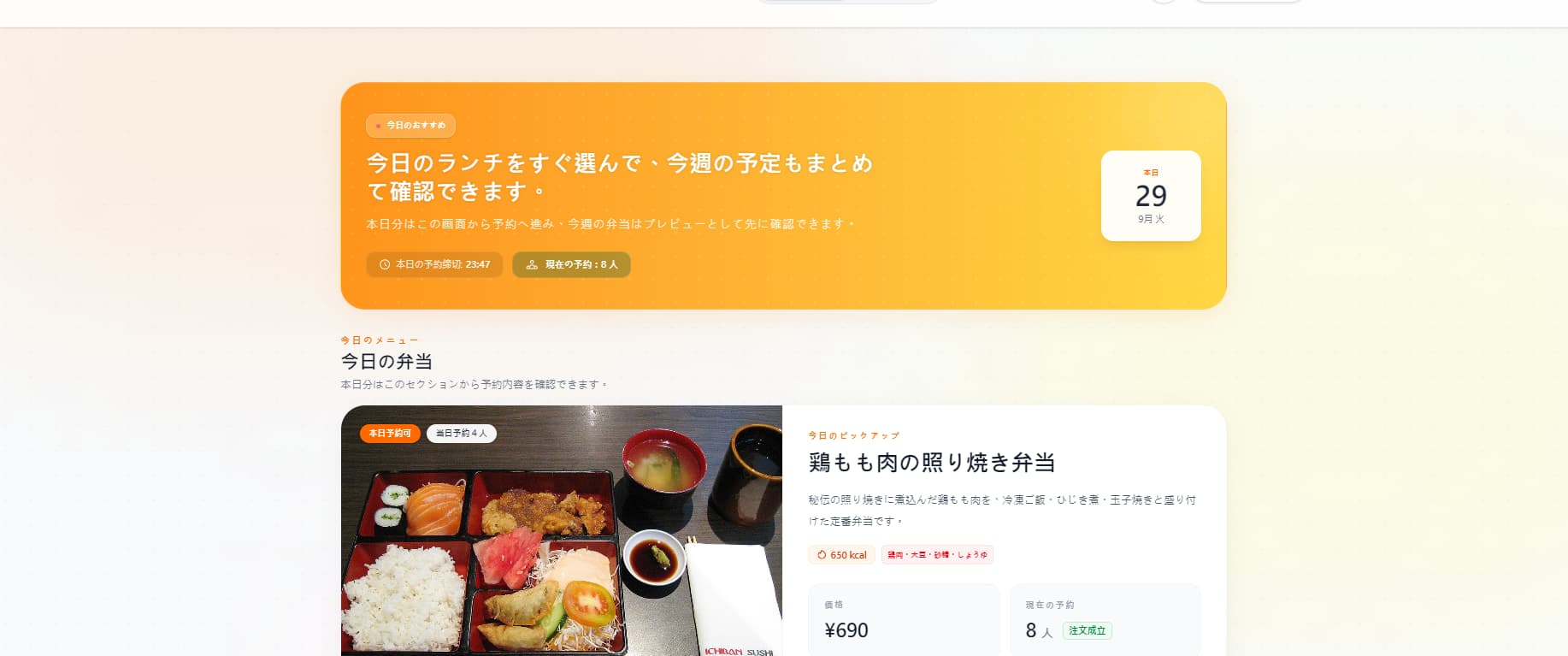
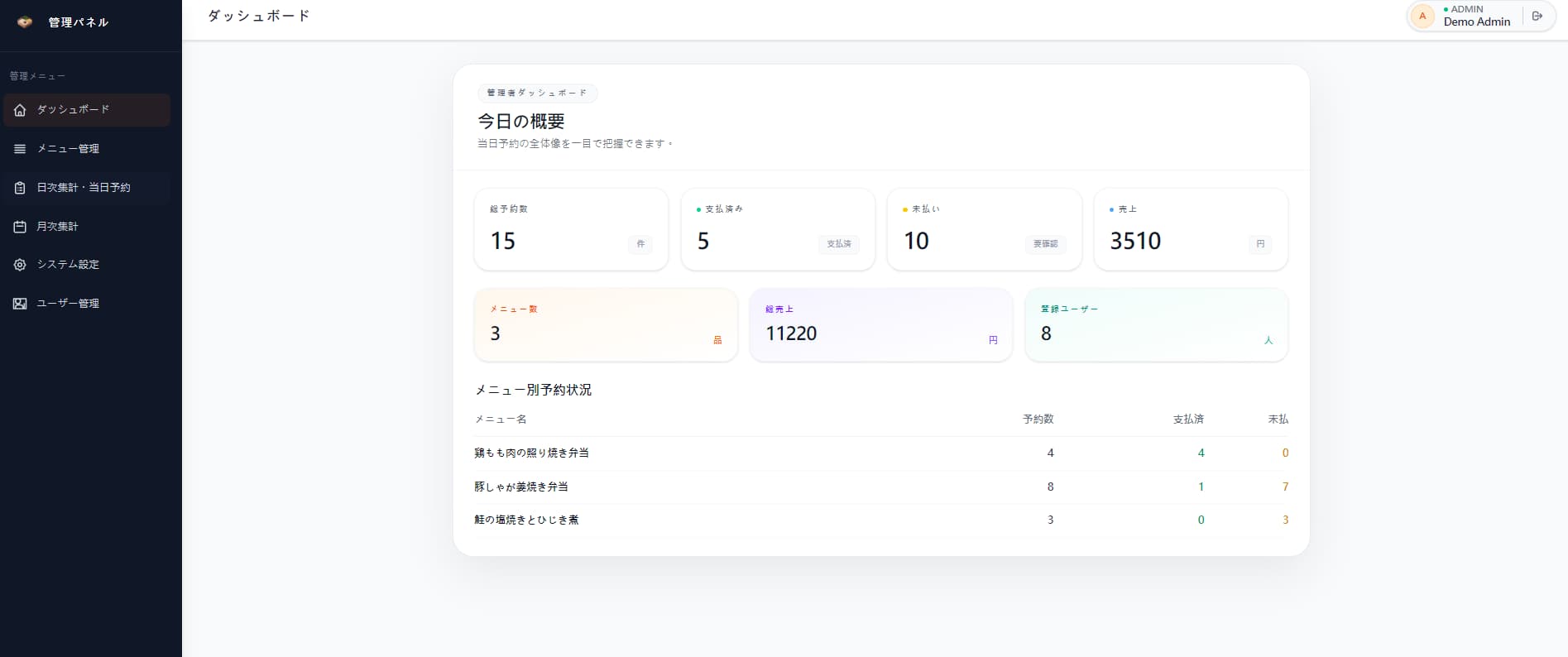
A new-hire training project with public-facing and admin screens.
I built a lunch reservation system using separate Spring Boot and Vue applications. I implemented the requirements, database, API and screens, learning password hashing and permission management along the way.
To make the customer and admin screens follow the same data flow, I checked registration, reservations, deadlines and totals in order. It taught me to finish a feature by considering backend conditions and permissions as well as the interface.
ORDER FLOW
Account → Menu → Deadline → Admin- 01
Account
Accounts
Account registration and email.
- 02
Menu
Menu
Publishing the menu and taking reservations.
- 03
Deadline
Deadline
Evaluating the deadline and fulfilment conditions.
- 04
Admin
Admin
Admin screens, totals, CSV and refunds.
STACK
01JAVA
Spring Boot
The foundation shaping the ordering mechanism.
02VUE
Vue 3
The frontend's screens and interactions.
03DATA
MyBatis-Plus / MySQL
The persistence layer and where records are kept.
04RUNTIME
Docker Compose
Fixing the startup procedure.
03
Logistics: frontend and backend work for three screens.
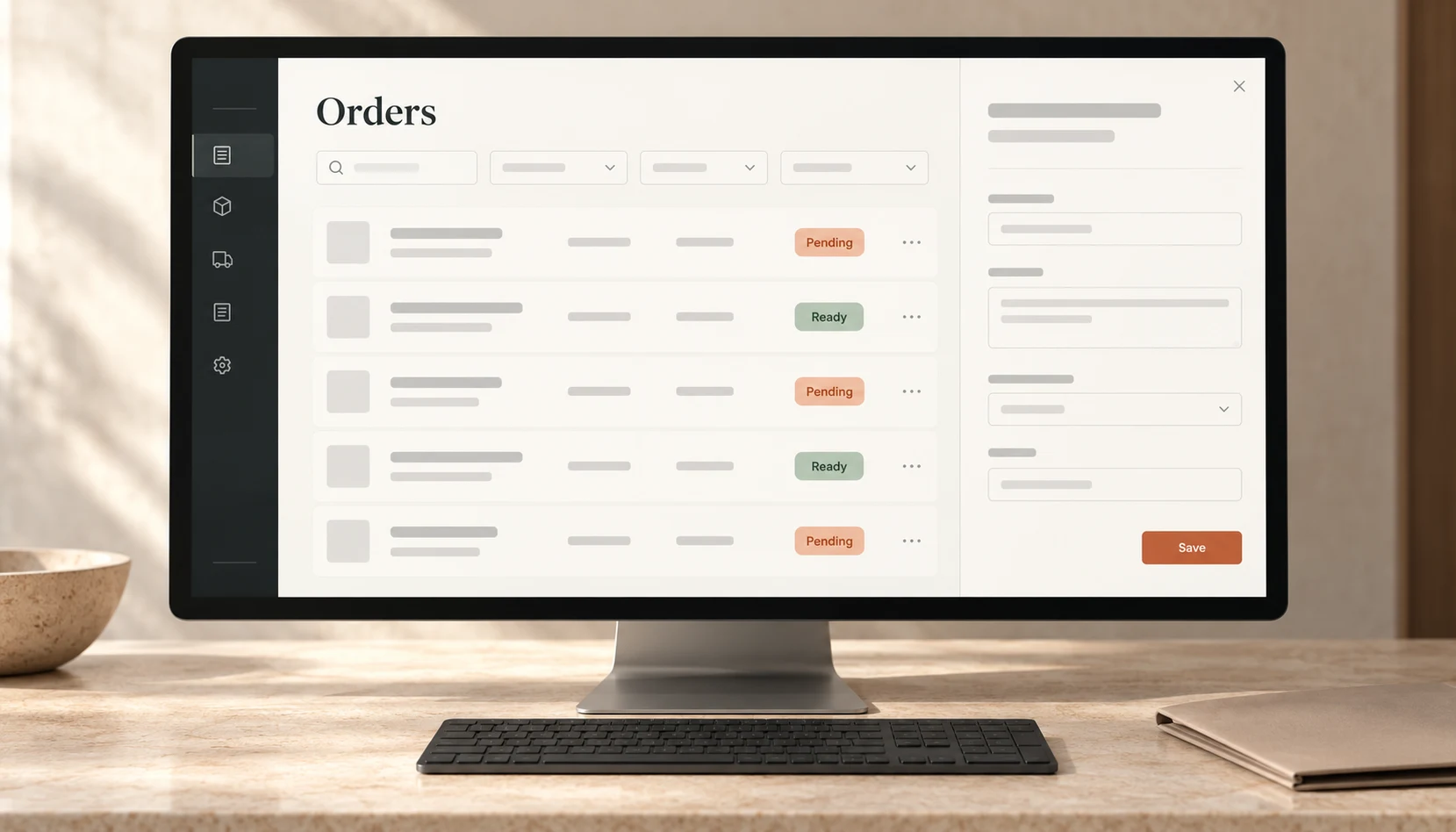
In a four-person team, I owned three of the ten screens.
I worked from the requirements and database design documents to implement both sides of my assigned screens. When the specification was unclear, I broke down the questions and discussed them with AI before implementing.
I checked the APIs and data handoffs that connect my three screens to the surrounding work. I kept the team boundary clear while making sure my implementation worked inside the larger logistics flow.
WORK SEQUENCE
- 01
READ
Read documents
Requirements and database design documents.
- 02
CLARIFY
Clarify specifications
Break down unclear points and discuss them.
- 03
IMPLEMENT
Implement
Own the frontend and backend for three screens.
04
Improve capture and registration in a business-card app.
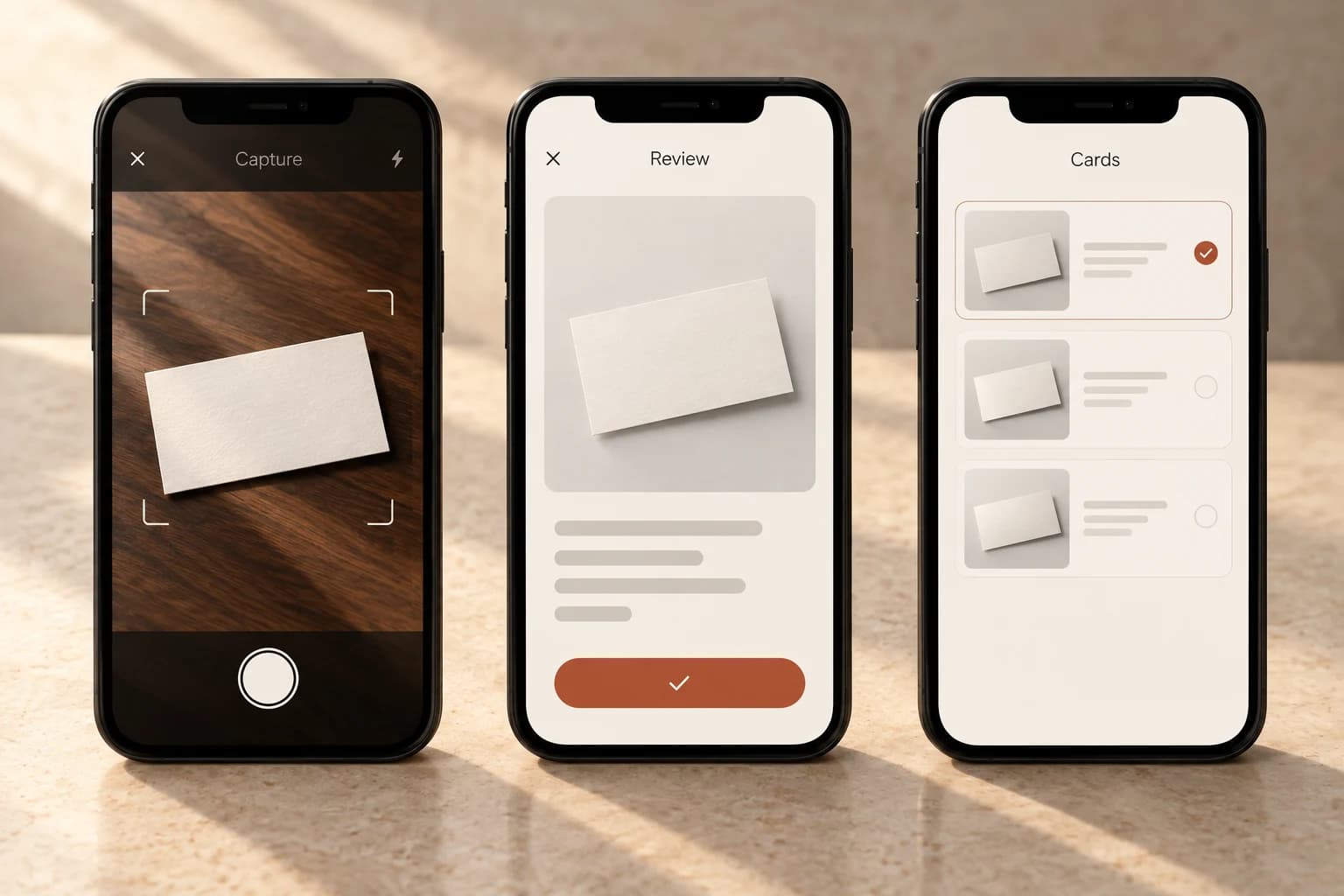
A Flutter app with improved continuous capture, OCR registration and interface.
I examined competing business-card apps before deciding what to improve. The completed changes included removing card backgrounds, deduplicating photos and refining the interface.
I reviewed capture, OCR registration and list review as one experience. The comparison was only the starting point; I refined the app while checking whether the real operation became shorter and clearer.
WORK SEQUENCE
- 01
OBSERVE
Research
Examine competing business-card apps.
- 02
CAPTURE
Capture and register
Continuous capture, OCR, background removal and deduplication.
- 03
REFINE
Refine the interface
Refine the UI in the selected direction.
05
Use tools for support; own understanding and acceptance.
I collaborate with AI daily and check each change myself.
I use tools such as ChatGPT, Codex and Gemini in everyday development. I remain responsible for understanding requirements, implementation and acceptance, and personally check AI output.
Company code and internal screens stay private. The training lunch system is my own project, whose screens and code can be shared.
These experiences taught me that development is more than making a feature work: I also need to read existing specifications, verify the data flow, and leave the result in a form the team can take over and accept.
WORK SEQUENCE
- 01
UNDERSTAND
Understand
Understand what needs to be built.
- 02
BUILD
Build
Use AI to help organize and refine the work.
- 03
VERIFY
Verify
Personally check AI output.